ㅤ
Supporting Information for “Multiscale harmonization, semantic integration, and immersive exploration of single-cell data in support of novel biological insights”
Andreas Bueckle1*, Chenchen Zhu2, Alex Yu Hin Wong3,4, Archibald Enninful5, Yang Miao6, Negin Farzad5, Maria Pedersen7, Courteney Mattison7,8, Nicholas Sloan7,8, Jason Mares8, Cheng Xing9,10, Bruce W. Herr II1, Juhi Khare1, Yash Kumar1, Keyur Parekh1, Siddhi Chavan1, Paean Luby1, Ushma Patel1, Yashvardhan Jain1, John Hickey6, Gary D. Bader9,10,11,12,13,14, Hemali Phatnani7,8, Vilas Menon8,15, Rong Fan5, Peter K. Sorger3,4, Michael Snyder2, Katy Börner1,14,16*
1 Department of Intelligent Systems Engineering, Indiana University, Bloomington, IN, USA
2 Department of Genetics, Stanford University, Stanford, CA, USA
3 Laboratory of Systems Pharmacology, Harvard Medical School, Boston, MA, USA
4 Ludwig Centre at Harvard, Harvard Medical School, Boston, MA, USA
5 School of Engineering & Applied Science, Yale University, New Haven, CT, USA
6 Department of Biomedical Engineering, Duke University, Durham, NC, USA
7 Center for Genomics of Neurodegenerative Disease, New York Genome Center, New York, NY, USA
8 Department of Neurology, Columbia University Irving Medical Center, New York, NY, USA
9 The Donnelly Centre, University of Toronto, Toronto, ON, Canada
10 Department of Molecular Genetics, University of Toronto, Toronto, ON, Canada
11 Princess Margaret Research Institute, University Health Network, Toronto, ON, Canada
12 Department of Computer Science, University of Toronto, Toronto, ON, Canada
13 Lunenfeld-Tanenbaum Research Institute, Toronto, ON, Canada
14 Canadian Institute for Advanced Research (CIFAR), Toronto, ON, Canada
15 Center for Translational and Computational Neuroimmunology, Department of Neurology, Columbia University Irving Medical Center, New York, NY, USA
16 Berlin Institute of Health at Charité, Universitätsmedizin Berlin, Berlin, Germany
* Corresponding authors
Andreas Bueckle: abueckle@iu.edu
Katy Börner: katy@iu.edu
Links
- Link to preprint: https://www.biorxiv.org/content/10.64898/2026.07.07.737090
- Link to HRA Organ Gallery on the HRA Portal: https://humanatlas.io/hra-organ-gallery
Application
The application is available for Meta Quest 2, 3, 3S, and Pro.
You can find it on the Meta Horizon Store:
HRA Organ Gallery - Meta Store
Data and code
All code open-source and accessible at:
Videos
A playlist with all video demos is available on YouTube.
| YouTube (Click to View) | Power | Metric Scale | Scene Name | Level Name |
|---|---|---|---|---|
 |
Multiple | Multiple | N/A | Elevator Transition Scenes |
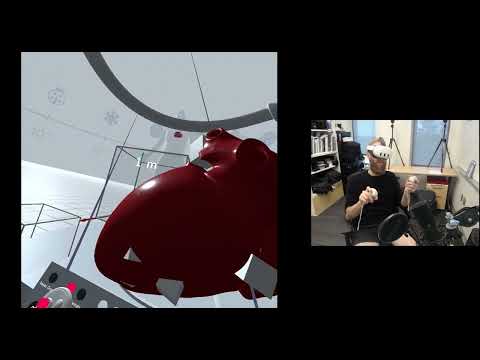 |
10⁰ | 1 meter | hra-whole_body-hra-1_meter-10_0 | 10⁰ Whole Body |
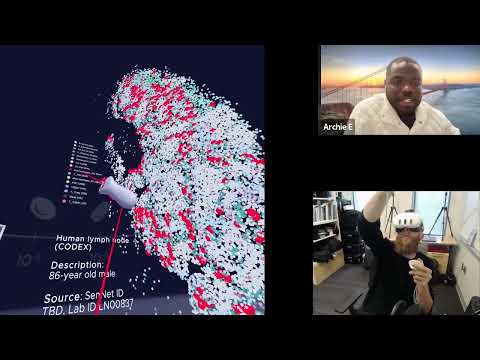 |
10⁻² | 1 centimeter | sennet-lymph_node-enninful_farzad-1_centimeter-10_2 | 10⁻² Small Organ |
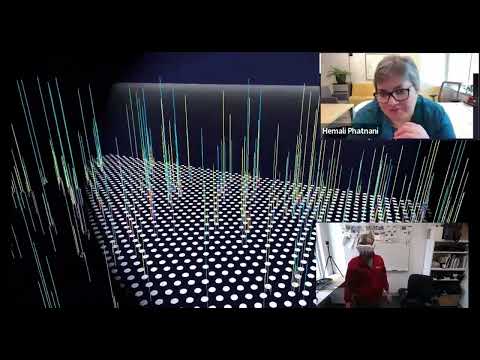 |
10⁻³ | 1 millimeter | sennet-brain-phatnani-1_millimeter-10_3 | 10⁻³ Large FTUs |
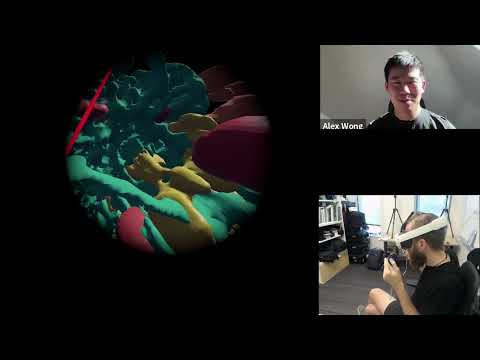 |
10⁻⁴ | 100 microns | hubmap-large_intestine-wong-100_microns-10_4 | 10⁻⁴ Cell Groups ~760 Microns (Wong) |
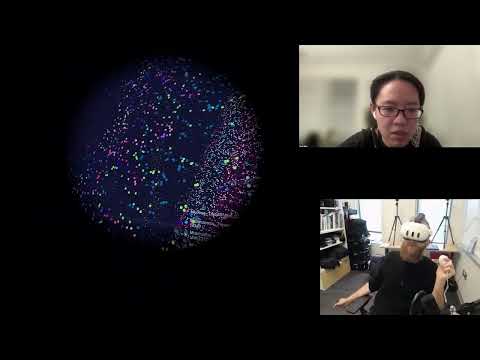 |
10⁻⁴ | 100 microns | hubmap-small_intestine-miao-100_microns-10_4 | 10⁻⁴ Cell Groups ~760 Microns (Miao) |
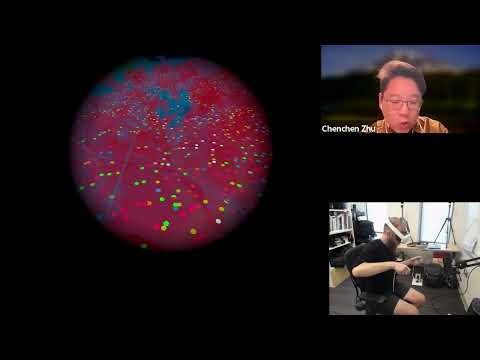 |
10⁻⁴ | 100 microns | hubmap-large_intestine-zhu-100_microns-10_4 | 10⁻⁴ Cell Groups ~760 Microns (Zhu) |
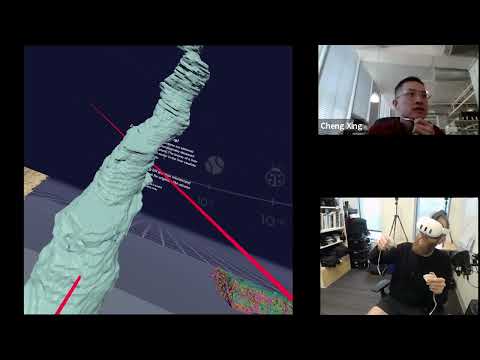 |
10⁻⁴ | 100 microns | cifar-liver-bader_xing-100_microns-10_4 | 10⁻⁴ Cell Groups ~760 Microns (Bader-Xing) |
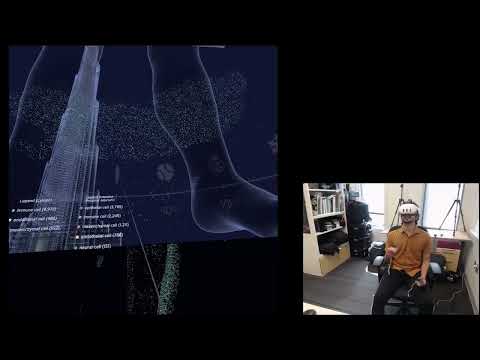 |
10⁻⁴ | 100 microns | hra-multiscale-comparison-codex-100_microns-10_4 | 10⁻⁴ Multiscale Comparison |
Native Unity packages and concepts
The HRA Organ Gallery is developed in Unity, which allows developers to implement application data structures and behaviors as custom components using C# classes (learn.microsoft.com/en-us/dotnet/csharp). A Unity component is an instance of a C# class that is derived from the Component base class (typically MonoBehaviour, see below) and is attached to a GameObject (see below). In this context, the class serves as the blueprint, while the component is the instantiated object that provides functionality to the GameObject. During compilation, Unity compiles these C# classes into .NET assemblies (dotnet.microsoft.com/en-us/), which are executed by its .NET-compatible runtime and provide access to the engine’s APIs for application development and visualization. As a production-strength game engine, Unity provides a wide variety of native tools for building real-time 3D applications in VR. Below are the major ones used for the HRA Organ Gallery.
Canvas: This element enables the creation of 2D UIs and UI elements, such as buttons, sliders, and drop-down menus (docs.unity3d.com/2022.3/Documentation/ScriptReference/Canvas.html). They also provide events to detect user input on these elements (such as hovering, clicking, and dragging). Every scene in the HRA Organ Gallery uses at least 1 Canvas to display text and other 2D UI elements (such as legends).
GameObjects: These are a central concept and represent entities in a Unity scene. GameObjects can have components such as a Transform, which specifies position, rotation, and scale, MeshRenderer, which takes a series of vertices and edges (mesh) and enables the user to assign a material to them, and many others, such as physics-based (RigidBody and Collider for collision detection) or entirely custom ones (all C# classes derived from MonoBehaviour). Documentation for the GameObject class is available at docs.unity3d.com/2022.3/Documentation/ScriptReference/GameObject.html.
MonoBehaviours: This base class offers lifecycle functions, such as Awake() (run before first frame), Start() (run on first frame), and Update() (run every frame) that allow developers to implement functionality across the runtime of an application. C# fields in a MonoBehaviour can be serialized in the Unity Inspector for live-editing during development. Documentation for MonoBehaviours is available at docs.unity3d.com/2022.3/Documentation/ScriptReference/MonoBehaviour.html.
ScriptableObjects: These are serialized data containers that allow developers to pass data around the application during development and at runtime. ScriptableObjects are written as C# classes that inherit from the ScriptableObject base class (docs.unity3d.com/2022.3/Documentation/Manual/class-ScriptableObject.html). Instances are created and saved as assets in the project structure of the Unity codebase. MonoBehaviours and other C# classes can point to ScriptableObject instances. Here are frequently used ScriptableObjects in the HRA Organ Gallery:
-
SOCellColorMapping: Contains mappings between cell type labels (strings) and colors (using Unity’s Color struct, see docs.unity3d.com/ScriptReference/Color.html).
-
SOCellPositionList: For visualizations of cells in 3D space, CSVs with x, y, z-position and cell type labels are ingested as ScriptableObjects (e.g., for sennet-lymph_node-enninful_farzad-1_centimeter-10_2, hubmap-small_intestine-miao-100_microns-10_4, and hubmap-large_intestine-zhu-100_microns-10_4).
-
SODatasetCellTypeFrequency: Is created together with instances of SOCellPositionList; this ScriptableObject type lists cell type labels and their respective number of occurrences within an ingested CSV.
-
SOLevelIndex: Describes a level with metadata such as scene name, scale, and pointers to assets that need to be loaded, such as Skyboxes and Icons.
-
SOLevelList: Points to a list of SOLevelIndex instances. The buttons on the Elevator Panel utilize the SOLevelList to determine which level needs to be loaded with Unity’s SceneManager library (docs.unity3d.com/2022.3/Documentation/ScriptReference/SceneManagement.SceneManager.html) based on user input.
-
SONodeArrayFromAPI: Captures HRA API responses with metadata for 3D reference organs and tissue blocks. This is used for hra-whole_body-hra-1_meter-10_0.
Socket interactors: This component can be added to any GameObject in the scene and causes another GameObject with a XRBaseInteractable component to snap in place inside the socket interactor. This can be used to rapidly reset the position, rotation, and scale after the user has interacted with a 3D object (docs.unity3d.com/Packages/com.unity.xr.interaction.toolkit@2.6/manual/xr-socket-interactor.html). Socket interactors are provided by the XR Interaction Toolkit (see below).
XR Interaction Toolkit: This is a collection of components and prefabs (templates) to author user interactions with 2D, 3D, and UI elements in VR, augmented reality (AR), and mixed reality (MR) environments. It provides high-level abstractions for actions, such as hovering, selecting, and activating for a variety of input devices, including VR controllers that the HRA Organ Gallery utilizes. Additionally, it contains the XRBaseInteractable and XRBaseInteractor base classes, which allow the developers of the HRA Organ Gallery to make organs, datasets, buttons, and other assets interactable. Documentation for XR Interaction Toolkit 2.6, which was used for the HRA Organ Gallery, is available at docs.unity3d.com/Packages/com.unity.xr.interaction.toolkit@2.6/manual/index.html.
XRBaseInteractable: This base class for components allows developers to make a GameObject interactable for a user via, e.g., grabbing and rotating it. It defines a series of base events that are raised when the user hovers, selects or activates the GameObject, and handles physics-based interactions. Important derived classes frequently used in the HRA Organ Gallery are XRGrabInteractable in support of grabbing and moving GameObjects (docs.unity3d.com/Packages/com.unity.xr.interaction.toolkit@2.6/manual/xr-grab-interactable.html) and XRGeneralGrabTransformer in support of scaling GameObjects (docs.unity3d.com/Packages/com.unity.xr.interaction.toolkit@2.6/api/UnityEngine.XR.Interaction.Toolkit.Transformers.XRGeneralGrabTransformer.html).
XRBaseInteractor: This base class for components allows developers to enable the user’s VR controller (or other input device) to point at GameObjects and 2D/3D UI elements, e.g., with the XRRayInteractor component (docs.unity3d.com/Packages/com.unity.xr.interaction.toolkit@2.6/manual/xr-ray-interactor.html).
Custom C# components and prefabs
For the HRA Organ Gallery, the following custom C# components were developed and reused across multiple scenes:
CellData: This class is derived from Unity’s MonoBehaviour base class. It defines a component that can be attached to any GameObject representing a cell while capturing metadata about this cell, i.e., its label and color. This makes this metadata available to the application for querying at runtime.
CellLegend: Also derived from the MonoBehaviour base class, this component needs references to a VisualizerBase (or a derived class, see below), a SODatasetCellTypeFrequency ScriptableObject (see above), and a SOCellColorMapping ScriptableObject to build a legend in 3D space.
Dot prefab: Unity allows the re-use of frequently used 3D objects as so-called prefabs (templates). If the prefab is changed, all instances of the prefab inherit the change. In the HRA Organ Gallery, cells are visualized as 2D circles with a color and CellData component that can be assigned or changed at runtime. The dot prefab is used in every scene where a VisualizerBase-derived component is used.
LegendDisplay: This class defines a component that allows the developer to point to a vertical layout of legend entries (2D UI elements), a CellLegend (see above), a SODatasetCellTypeFrequency ScriptableObject, and a SOCellColorMapping ScriptableObject. It then lays out the CellLegend in space with the values from the SODatasetCellTypeFrequency ScriptableObject and the provided color mapping from the SOCellColorMapping ScriptableObject.
OnHoverSendMessage: This custom class extends MonoBehaviour and implements IPointerEnterHandler and IPointerExitHandler, 2 interfaces from Unity’s EventSystems namespace. It is attached to all CellLegend entries. When the user hovers over a legend entry (e.g., a cell type), this component broadcasts the label of the hovered cell type so all cells in the scene are highlighted. This enables brush-and-link functionality using VR controllers.
VisualizerBase: This abstract base class, through its derived classes, allows the developer to point to an empty GameObject (container) in 3D space, define a maximum width in 3D space, a scaling factor, and a color scheme. It also defines abstract functions for preparing the scaling and building a visualization; these functions must be defined in all derived classes, which may implement visualizations differently. 2 derived classes are used in the HRA Organ Gallery: Visualizer3D (used in sennet-lymph_node-enninful_farzad-1_centimeter-10_2, hubmap-small_intestine-miao-100_microns-10_4, hubmap-large_intestine-zhu-100_microns-10_4, and hra-multiscale-comparison-codex-100_microns-10_4), which visualizes a list of cell types in 2D or 3D space, and VisualizerBiomarkers (used in sennet-brain-phatnani-1_millimeter-10_3), which lays out Visium cell spots on a floor-aligned 2D plane in 3D space and adds vertical line meshes to represent 3D spikes.
Editor scripts and EditorWindows
Unity ships with an Editor where developers can build complex 3D scenes with hierarchies, inspect project files, run performance analysis with built-in UIs, and test the application using emulation for VR devices. It also allows developers to expand its Editor with Editor scripts (learn.unity.com/tutorial/editor-scripting), which use the UnityEditor namespace (docs.unity3d.com/2022.3/Documentation/ScriptReference/UnityEditor.html) to build custom menus, windows, and inspectors. Developers of the HRA Organ Gallery utilize 2 major EditorWindows:
IngestCellPositions: While Unity applications can natively read CSV through native .NET or third-party CSV libraries at runtime, larger CSV files are best converted to ScriptableObjects to improve speed. The IngestCellPositions EditorWindow allows developers to point to a CSV file and ingest it by instantiating 2 ScriptableObjects: a SOCellPositionList and a SODatasetCellTypeFrequency (see Supplementary Note 2).
IngestScene: This EditorWindow enables developers to cache responses from 2 endpoints in the HRA API: apps.humanatlas.io/api–staging/v1/scene (which serves all 81 3D reference organs as of HRA v2.5 and tissue blocks with metadata) and apps.humanatlas.io/api–staging/v1/reference-organ-scene (which serves a user-specified 3D reference organ and its tissue blocks with 3D position, rotation, and scale relative to the origin of the organ as of HRA v2.5). These are saved as ScriptableObjects of type SONodeArrayFromAPI (see Supplementary Note 2), which are then referred to by various scene setup components in hra-whole_body-hra-1_meter-10_0. IngestScene is typically run in preparation of every HRA release (June and December every year as of September 2026) to get the latest 3D reference organs and tissue blocks from the HRA and make them available to the application without the need for an internet connection.